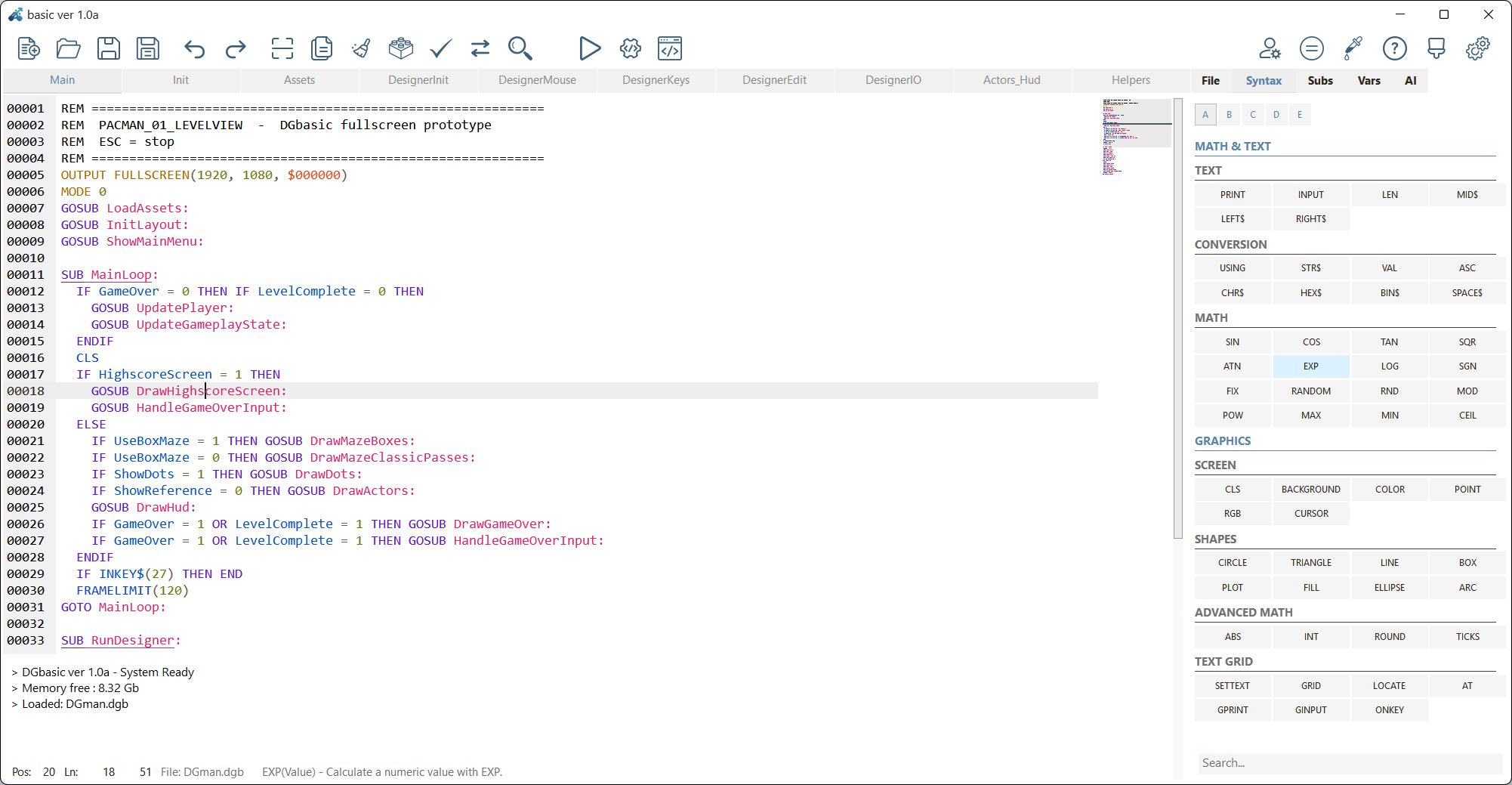
1. The editor combines code, syntax help and fast command browsing in one screen.


A first visual overview of the DGbasic IDE, tools, theme designer, documentation and build workflow. DGbasic includes 5 built-in languages: Dutch, German, English, French and Spanish.
1. The editor combines code, syntax help and fast command browsing in one screen.
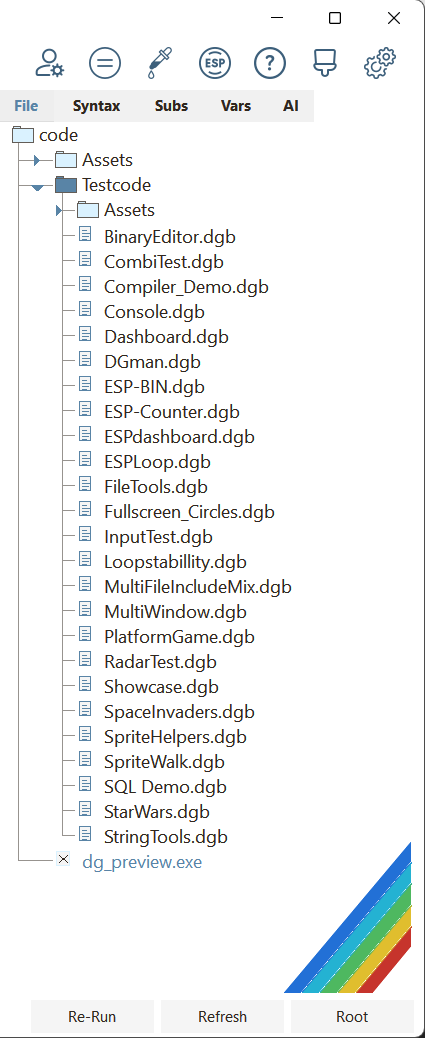
2. Work with larger game projects, modules, assets and multiple tabs at the same time.
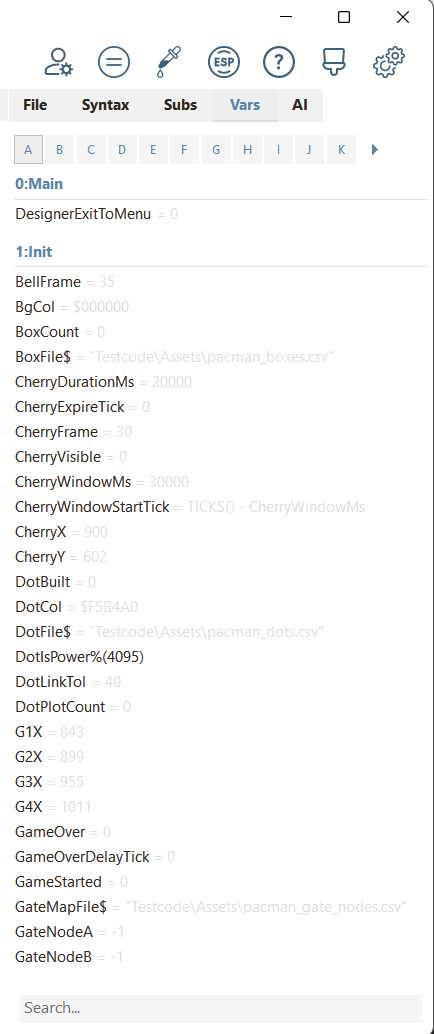
3. Follow variables live through the Vars panel while testing, debugging and building.
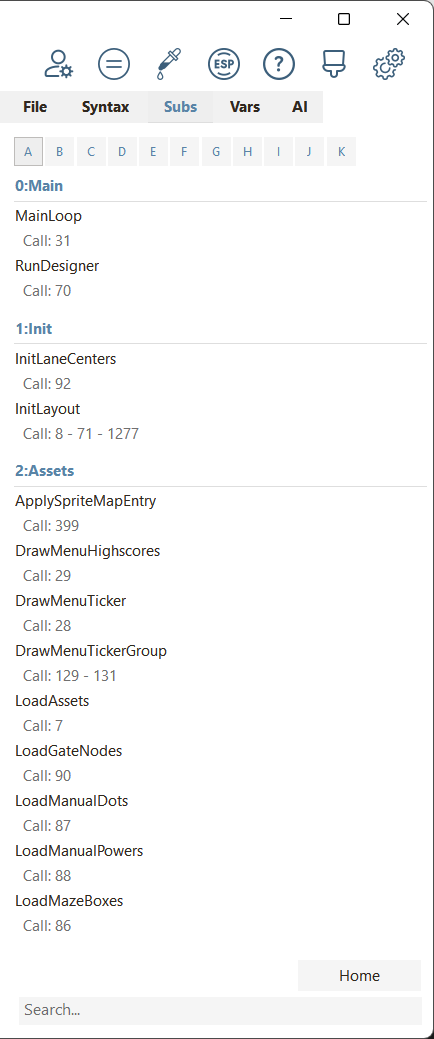
4. Jump straight to subroutines and keep project structure clear with the Subs browser.
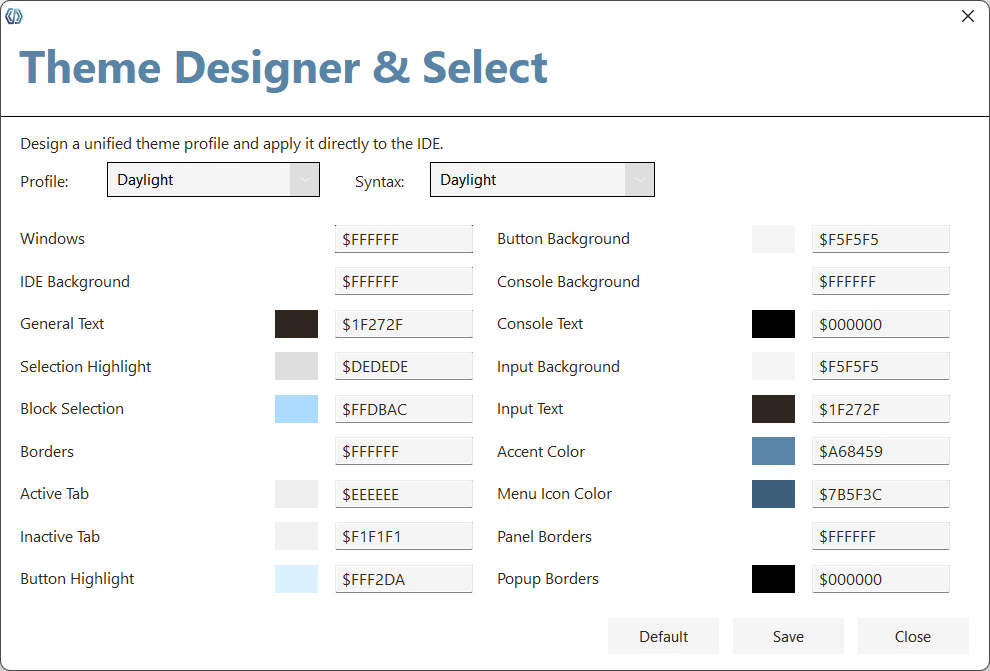
5. Design complete IDE themes with live preview, color fields and profile control.
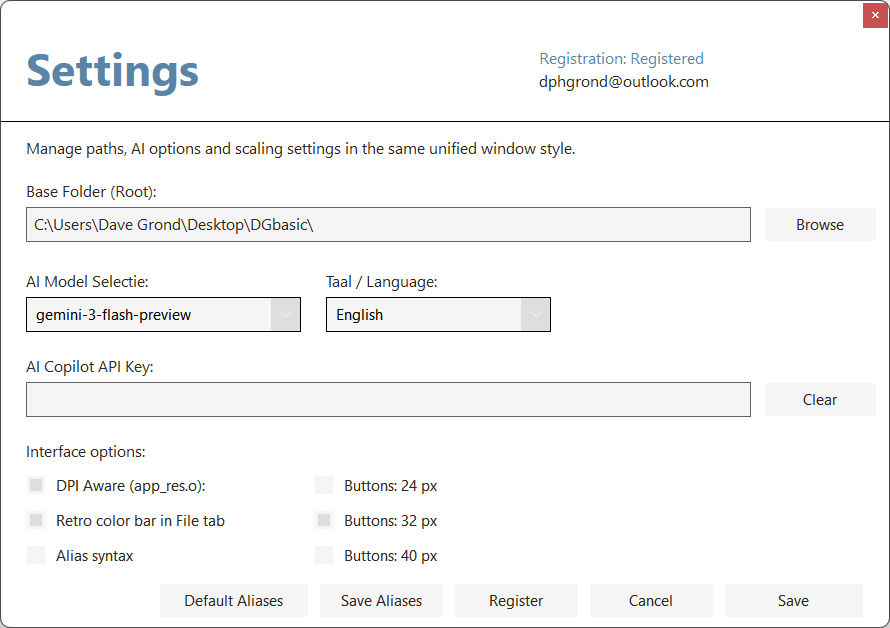
6. Manage compiler, AI, language and system settings from one central window.
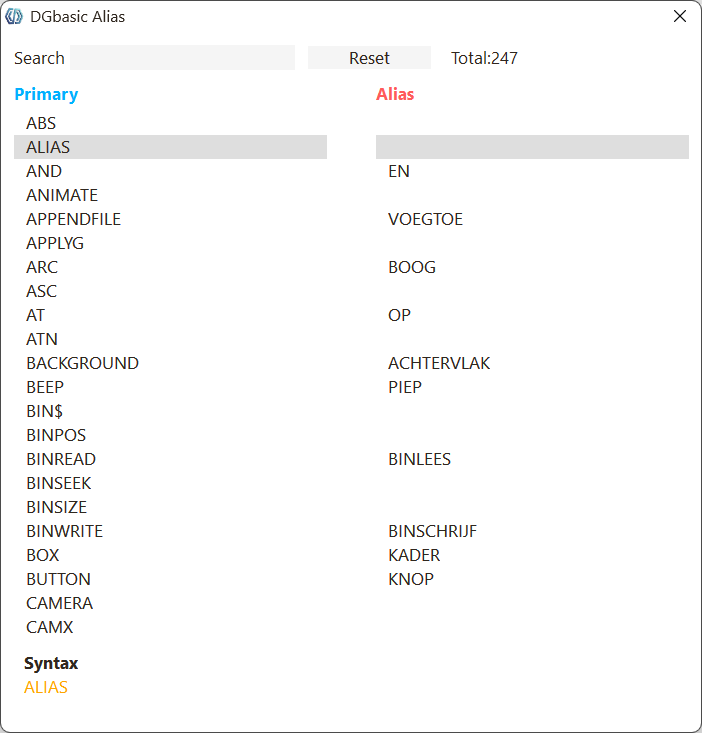
7. View command aliases and language variants in a dedicated reference tool with syntax details.
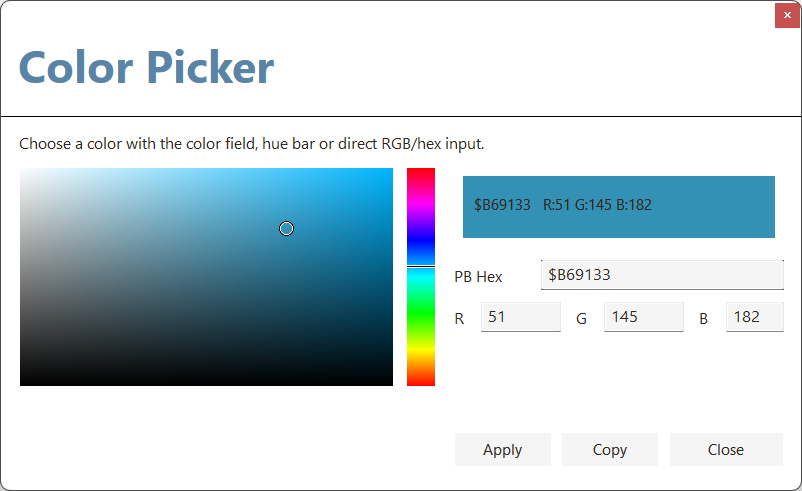
8. Pick colors visually with a color field, hue bar and direct RGB or hex input.
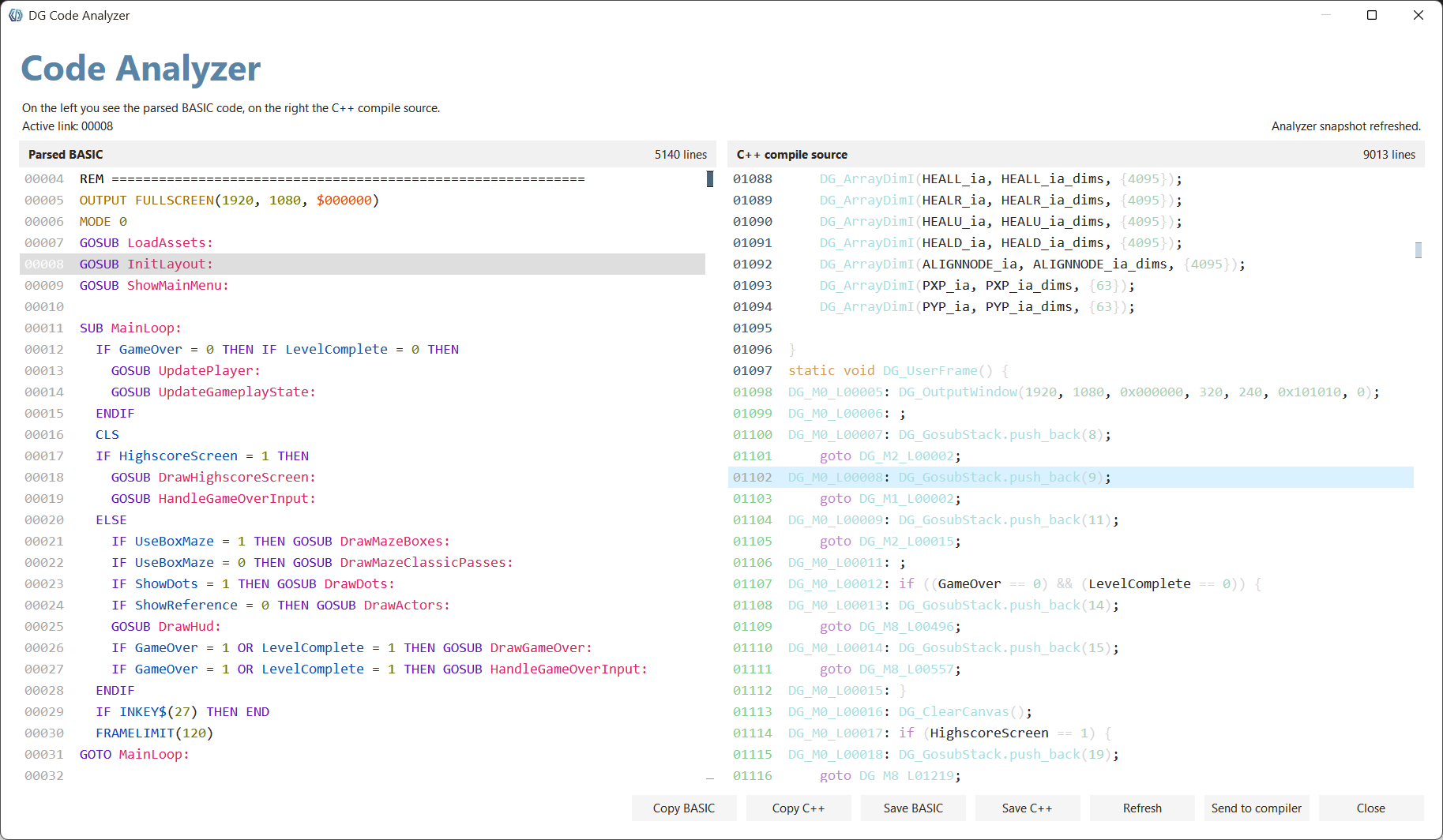
9. Compare BASIC source directly with the generated C++ compiler output in the analyzer.
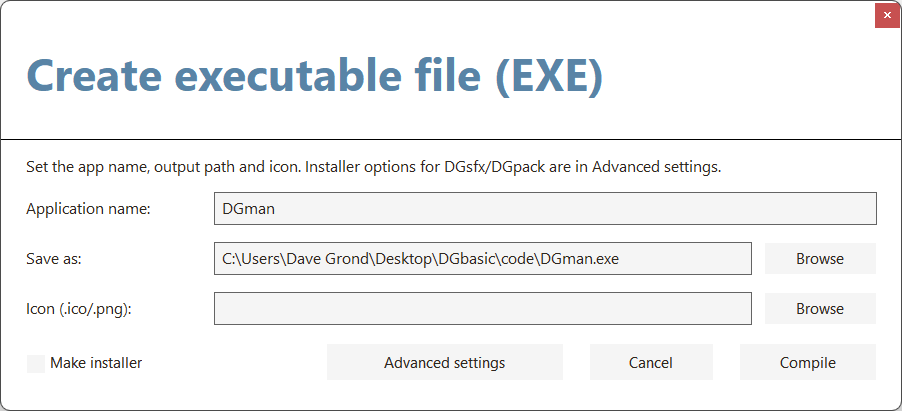
10. Build standalone executable files and installers directly from the IDE.
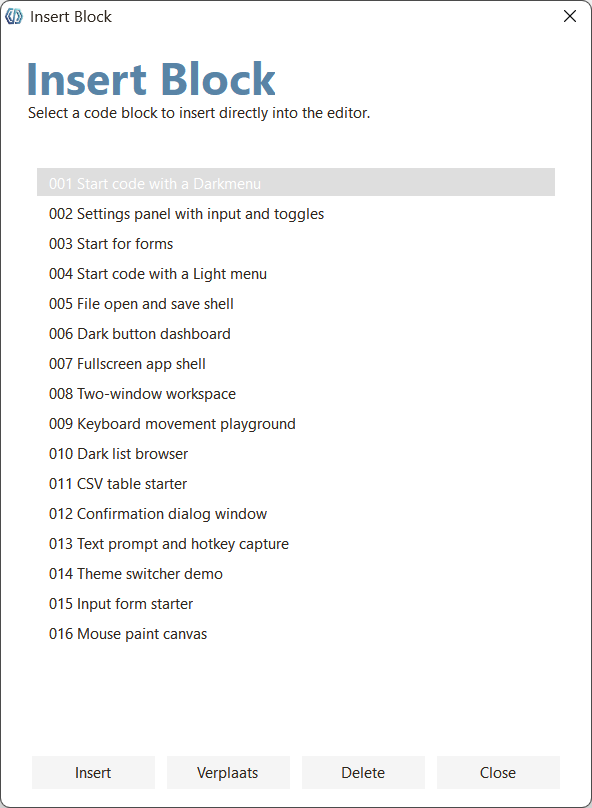
11. Insert ready-made starters and code blocks straight into your project.
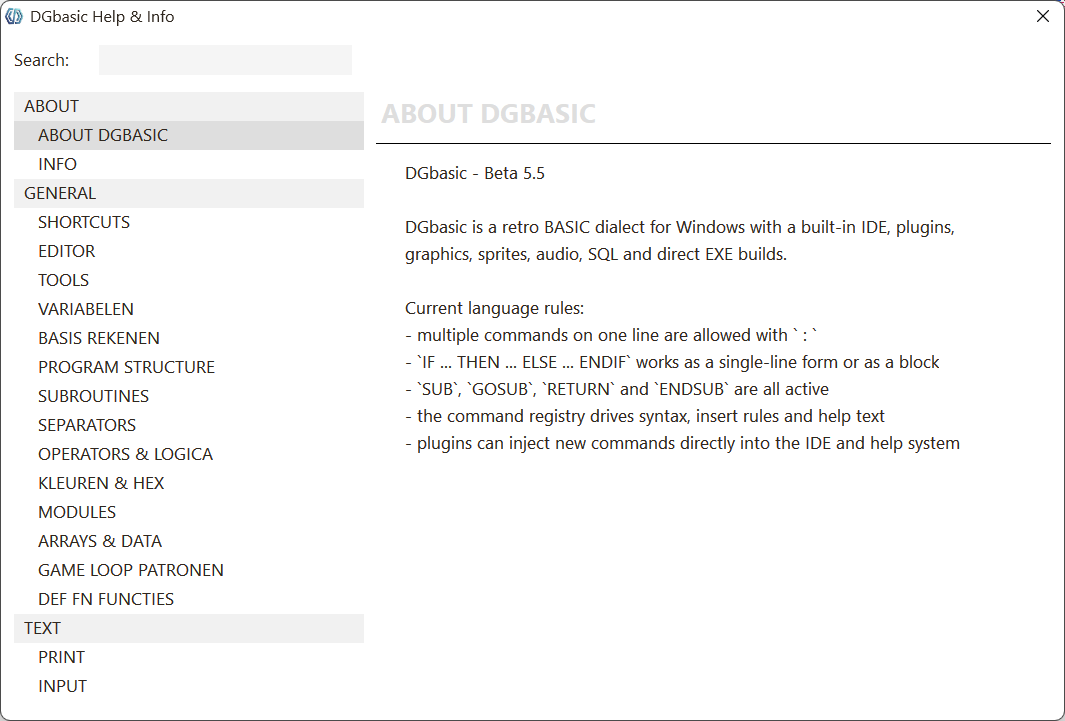
12. Use built-in help with categories, examples, syntax and language guidance.
DGbasic is being developed for makers, hobbyists and indie developers who value the immediacy and focus of classic programming environments. Inspired by well-known retro dialects, that familiar low-distraction workflow has been rebuilt into a modern and practical platform.
DGbasic is not only about nostalgia. It is a complete development ecosystem with more than 200 fully operational commands in a renewed C++ backend, so you can start building productively right away.
While the IDE deliberately evokes the direct feel of 8-bit and 16-bit programming environments, it runs on a thoroughly modern technical foundation. The backend has been fully renewed. As soon as you compile, the underlying C++ compiler takes care of the heavy lifting, without requiring you to deal with pointers, memory management or complex libraries.
Operating system: Windows 10 or Windows 11 (64-bit).
 A:  ABS, ALIAS, AND, ANIMATE, APPENDFILE, APPLYG, ARC, ASC, AT, ATN
 B:  BACKGROUND, BEEP, BIN$, BINPOS, BINREAD, BINSEEK, BINSIZE, BINWRITE, BOX, BUTTON
 C:  CAMERA, CAMX, CAMY, CASE, CASEELSE, CCASE, CEIL, CHDIR, CHECKBOX, CHR$, CIRCLE, CLEAR, CLOSEBIN, CLOSEFILE, CLOSESQL, CLS, COLLIDE, COLOR, COMBOBOX, COMPILE, CONST, COPYFILE, COS, CURSOR
 D:  DARKCHECKBOX, DARKCOMBOBOX, DARKLABEL, DARKLISTBOX, DARKMENU, DARKWINDOW, DATA, DATE$, DEF, DELAY, DELETEFILE, DIM, DIR, DIR$
 E:  ELLIPSE, ELSE, EMBEDPIC, END, ENDCCASE, ENDIF, ENDSUB, EOF, ESPCONFIG, ESPIN, ESPIP, ESPOUT, ESPTEST, EXIT, EXP, EXPORTCSV
 F:  FALSE, FILEDIALOG$, FILEEXISTS, FILL, FIND, FIX, FLOAD$, FOR, FOREVER, FPS, FRAMELIMIT, FREEMEM, FSAVE$, FULLSCREEN
 G:  GETENV$, GETKEY, GINPUT, GOSUB, GOTO, GPRINT, GRAVITY, GRID
 H:  HELP, HEX$
 I:  IF, IMPORTCSV, INCLUDE, INKEY$, INPUT, INSTR, INT
 J:  JOIN$
 L:  LABEL, LCASE$, LEFT$, LEN, LINE, LIST, LISTBOX, LOAD, LOCATE, LOG, LOWER$
 M:  MAX, MEM, MENU, MENUCLEAR, MID$, MIN, MKDIR, MOD, MODE, MODULE, MOUSEBUTTON, MOUSEX, MOUSEY, MOVEFILE
 N:  NEW, NEXT, NOT, NULL
 O:  ON, ONKEY, OPENBIN, OPENFILE, OPENSQL, OR, OUTPUT
 P:  PADLEFT$, PADRIGHT$, PEEK, PICTURE, PICTUREFREE, PILL, PLAYMP3, PLAYSOUND, PLAYSOUNDSTOP, PLAYWAV, PLOT, POINT, POKE, POW, PRINT
 R:  RANDOM, READ, READFILE, READSQL, REM, REPEAT, REPLACE$, RESMEM, RESTORE, RETURN, RGB, RIGHT$, RND, ROUND, RUN
 S:  SAVE, SAVEAS, SCAN, SCREENH, SCREENW, SCROLLX, SCROLLY, SEEK, SELECTWINDOW, SETMP3VOLUME, SETTEXT, SETTINGS, SETWAVVOLUME, SGN, SHELL, SHELLOUT$, SHELLWAIT, SIN, SORT, SOUND, SOUNDFX, SOUNDSTOP, SPACE$, SPLIT$, SPRITEDRAW, SPRITEFLIP, SPRITEFREE, SPRITEH, SPRITEHIT, SPRITELOAD, SPRITESIZE, SPRITEW, SQLERROR$, SQR, STEP, STR$, STRING$, SUB, SWAP, SWAPSYNTAX
 T:  TABLE, TAN, TESTCODE, THEME, THEN, TICKS, TILECOLLIDE, TILEDRAW, TILEGET, TILEMAP, TILESET, TIME$, TO, TRIANGLE, TRIM$, TRUE
 U:  UCASE$, UNTIL, UPPER$, USING, USR
 V:  VAL, VK_DOWN, VK_ENTER, VK_ESCAPE, VK_LEFT, VK_RIGHT, VK_SPACE, VK_UP
 W:  WEND, WHILE, WINDOW, WRITEFILE, WRITESQL
 X:  XOR